
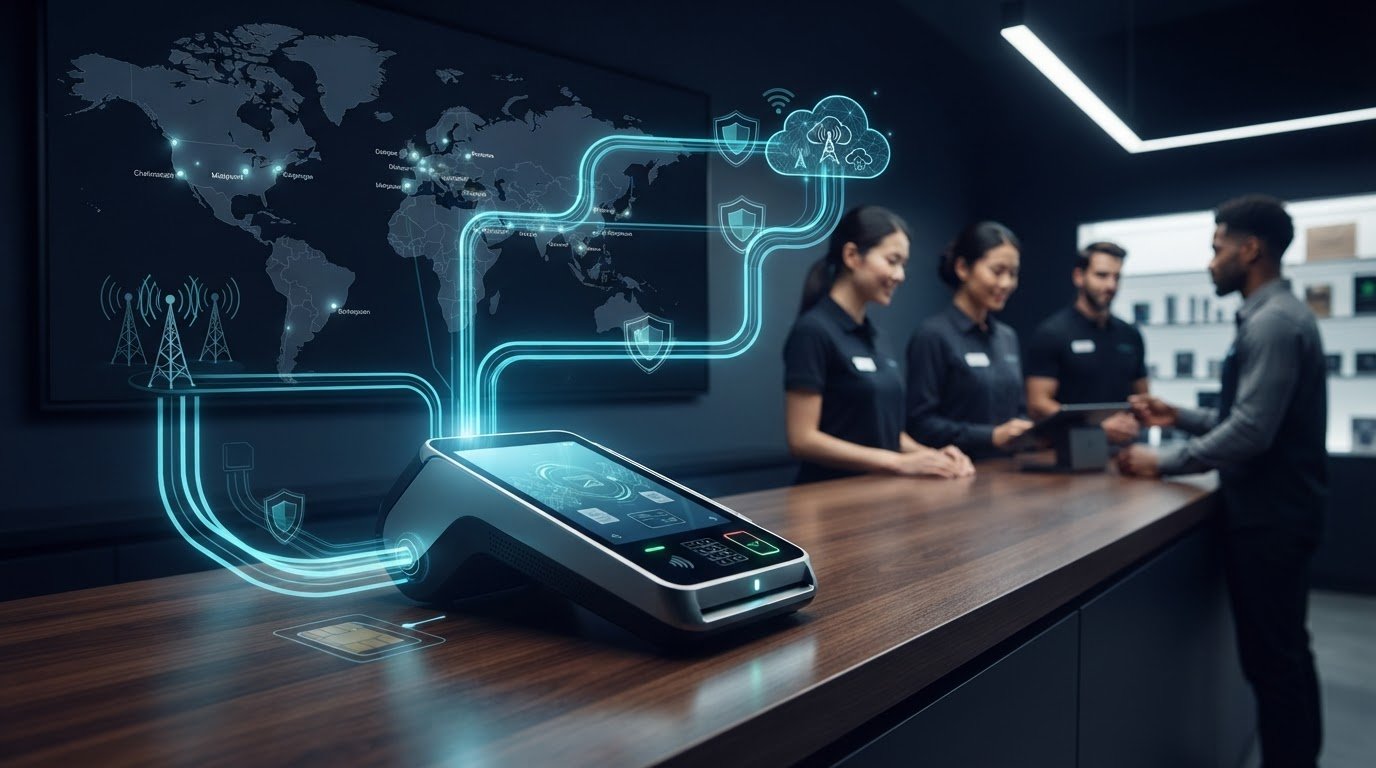
POS uptime depends on more than the terminal or the network. It depends on how the entire connection is designed and managed. That’s the practical challenge of iot connectivity for point of sale terminals: a local internet outage can interrupt transactions, while a growing fleet brings more SIMs, carriers, and locations to oversee.
Adding a backup connection alone doesn’t solve every operational problem. Teams also need visibility into connectivity, tools to troubleshoot devices remotely, and security controls that fit the deployment. Without them, even a small connection issue can be difficult to diagnose across multiple sites.
This guide explains how to choose primary or backup connectivity for different POS environments, manage oversight across deployed terminals, and plan for growth. It covers multi-carrier IoT SIMs, CAMP™ centralized management, and network options such as private APN and static IP. The goal is a POS network with fewer blind spots and a practical plan for day-to-day operations.
Key Takeaways
- Map each terminal’s connection to the systems it needs to reach. This helps identify where an interruption could affect transactions.
- Choose primary cellular, cellular backup, or multi-carrier connectivity based on terminal mobility, site conditions, available networks, and who will manage operations.
- Treat iot connectivity for point of sale terminals as a fleet-level design decision, with security and oversight built into the plan, not just a SIM choice.
- Monitor usage and alerts, and use SIM movement information to keep deployment records accurate.
- Use a repeatable rollout: define terminal requirements, select the connectivity approach, configure CAMP™, test, then scale across locations.
Why POS terminal connectivity is critical to payment continuity
POS terminal connectivity is the data path between a payment device and the systems it needs, such as its payment application and processor. Depending on the configuration, a terminal may also connect to services for updates or operational management. A Point-of-sale system includes more than the payment device, so connectivity planning should account for the systems and workflows around each terminal.
POS IoT connectivity is the network path that allows a connected payment device to exchange transaction and operational data with the systems required for its configured role. That path may use wired or Wi-Fi internet, cellular service, or a combination designed for the deployment. The right approach to iot connectivity for point of sale terminals depends on where devices operate and how they’re used.
What connectivity does a POS terminal need?
Start with the terminal, payment application, and processor requirements. Together, they determine which connection types the device supports and which systems it must reach. Cellular can serve as the primary connection where fixed internet isn’t suitable, or as a backup when the deployment is designed to switch from a site connection. Confirm device compatibility, including SIM support and the intended failover configuration, before selecting a connectivity model.
Where do connectivity interruptions create operational risk?
The impact depends on the device’s role and the length of the interruption. A brief drop may call for a retry or troubleshooting; a longer loss can prevent transactions from reaching the systems they require. Whether a terminal can process transactions during an outage depends on its configuration, so don’t assume offline processing is available.
Assess the operating context, not just the signal at installation:
- Fixed retail: A terminal may rely on the store’s internet connection. Consider cellular backup when the deployment calls for a second connection path.
- Temporary locations: Pop-up sites and events may lack dependable fixed internet. Cellular can be a practical primary connection when the device and network support it.
- Mobile acceptance: Devices used across changing locations need a connection approach suited to movement and network availability along their routes.
- Unattended kiosks and ATMs: With no staff nearby, remote visibility and a defined troubleshooting process can help teams respond to connection interruptions.
Across these environments, interruptions can generate support work and leave merchants or customers waiting. Match the connectivity design to each deployment so operations teams have a clear basis for responding when a device can’t connect.
How to choose cellular connectivity for POS terminals
Choose an architecture around the operating environment, not just the SIM. A stationary terminal in a store with dependable internet has different needs from a mobile reader or an unattended device that’s difficult to troubleshoot onsite. When planning iot connectivity for point of sale terminals, weigh mobility, site connectivity, network availability, fleet size, and who owns ongoing support.
Connectivity model
Best fit
Trade-off to consider
Primary cellular
Sites without suitable fixed internet, temporary locations, and mobile acceptance.
The terminal depends on cellular coverage and a compatible device and configuration.
Cellular backup
Fixed retail or other sites using a primary connection, with cellular as a secondary path.
The terminal and network setup must support the intended backup behavior.
Multi-carrier connectivity
Fleets across locations with varying network conditions, or devices that move between areas.
Network selection and failover behavior need to fit device capabilities and operational requirements.
Should cellular be the primary connection or backup?
Primary cellular is suitable when cellular is the planned internet connection, such as at a pop-up site or for a mobile terminal. Cellular backup adds another connection path alongside fixed internet when the terminal supports that design. Neither approach guarantees uninterrupted service: results depend on the device, location, available network, and configuration. Define how the terminal should behave when its primary path is unavailable, and test that behavior before rollout.
When does multi-carrier connectivity make sense for POS?
Multi-carrier connectivity can support deployments spread across locations with different network conditions. Redundancy and failover can help address changes in network availability, subject to the device and configuration. Choice IoT’s Multi-Carrier SIM can steer among top-tier networks and 500+ Global Networks. A direct-carrier SIM may suit a deployment built around a selected carrier; a multi-carrier SIM is useful when broader network choice is part of the design. For more on network selection, see this multi-carrier IoT SIM guide.
Selection rule: Match connectivity to device mobility, site conditions, and the support team’s ability to manage it. Include security in the design review; POS Security is one reference for understanding payment-system risks. Choice IoT supports connectivity planning and ongoing operations through its IoT connectivity solutions.

How to manage and secure POS connectivity across a terminal fleet
As POS deployments grow, connectivity management becomes an operational discipline. Teams need to know which SIM is assigned to each terminal, spot unusual usage or device changes, and troubleshoot without relying on a store employee to inspect the equipment. CAMP™ brings fleet visibility and management tools together, helping teams act on current information rather than chase disconnected records.
Which fleet controls reduce manual work?
CAMP™ provides centralized visibility into deployed SIMs, usage, and connectivity, alongside alerts, diagnostics, remote reset, device-lock, and reporting. Teams can set custom data-usage thresholds and use alerts to flag activity for review. Device Change Alerts notify teams when a SIM moves to a different device, helping them investigate unexpected changes and keep terminal-to-SIM records accurate.
- Review status and usage centrally. Use real-time visibility and reports to identify SIMs or locations that need attention.
- Investigate changes. Compare device-change alerts with deployment records to determine whether a SIM move was expected.
- Troubleshoot remotely. Use diagnostics to assess connectivity, then use Remote Network Reset when a reset is an appropriate next step. This can reduce the need to send someone onsite.
- Apply controls. SIM Lock & Security can lock a SIM to an authorized device and help restrict unauthorized use as part of a broader security process.
How should finance deployments approach network security?
Start with the network access the deployment requires. A private APN can provide a private network path, while a static IP can support network designs that rely on a consistent address. These options can be considered alongside device-lock and alerts for SIM movement or other changes. They are components of a security architecture, not a guarantee of compliance or protection on their own. Explore private APN design for IoT for more network-planning context.
For finance fleets, align connectivity controls with device configuration, access policies, and the team’s response process. A strong iot connectivity for point of sale terminals strategy pairs network design with ongoing SIM oversight. Plan your POS connectivity and fleet management with Choice IoT’s Multi-Carrier IoT SIM and CAMP™ platform.
A practical path to deploying POS connectivity with Choice IoT
A repeatable rollout helps teams validate connectivity before expanding across terminals and locations. Choice IoT works with solution providers, VARs, integrators, OEMs, and finance technology deployments, combining connectivity options with CAMP™ fleet management. Use this sequence to turn requirements into a tested, scalable deployment.
- Define terminal requirements. Inventory device models, locations, payment applications, mobility needs, and supported connection types. Identify who owns provisioning, monitoring, security decisions, and incident escalation.
- Select the SIM and network approach. Choose a direct-carrier or multi-carrier IoT SIM based on where terminals operate and how network conditions vary. For finance deployments, consider private APN and static IP options where they fit the required access model.
- Configure CAMP™. Set up provisioning, fleet visibility, reporting, usage intelligence, alerts, and device controls around the team’s workflows. REST API access supports programmatic control, while eSIM with OTA steering and cloud integrations may fit deployments that need those capabilities in their existing architecture.
- Test the deployment. Validate connectivity on representative terminals and at relevant sites. Exercise expected workflows, including usage alerts, troubleshooting, and escalation, before broad rollout.
- Scale with operational oversight. Use CAMP™ for centralized monitoring and diagnostics as devices and locations are added. Review deployment records and operational processes as the fleet grows.
What should teams plan before launch?
Build an inventory that connects each terminal model to its location, required applications, SIM assignment, and operational owner. Decide how teams will review alerts, handle unusual usage, apply security controls, and escalate connection issues. Choice IoT offers instant activation and 24/7 U.S. Support, giving deployment teams support as they plan rollout and operations.
How does Choice IoT support POS deployments as they scale?
CAMP™ centralizes provisioning, monitoring, diagnostics, reporting, and API access. Multi-carrier connectivity supports deployments across varied network conditions, while private APN and static IP options address finance network-design needs. These capabilities support architecture and fleet operations; they don’t replace an organization’s own security or compliance responsibilities.
Bring your terminal models, deployment locations, and operational goals into the planning conversation. Talk with Choice IoT about POS connectivity or request a free demo SIM to explore the approach.
Build a POS connectivity plan that grows with your operation
Turn connectivity choices into an operating plan. Decide who owns each part of the deployment, from approving terminal requirements to responding when a device needs attention. Document the decisions, assign responsibilities, and set practical criteria for evaluating the rollout before expanding it. That foundation makes iot connectivity for point of sale terminals easier to adapt as locations, devices, and business needs change.
For finance and payment technology teams, bring network design and operational workflows into the same conversation. Plan how new locations will be onboarded, how connectivity changes will be reviewed, and how the deployment can fit into existing systems. A connectivity partner can help align these requirements with an architecture that remains manageable beyond launch.
Talk with Choice IoT about POS connectivity to discuss your terminal environment, deployment goals, and next steps. A clear plan puts your team in a stronger position to expand with confidence.
Frequently Asked Questions
Can a POS terminal use cellular connectivity as its primary internet connection?
Yes. Cellular can be the primary connection if the terminal and payment application support the chosen configuration. For iot connectivity for point of sale terminals, check device specifications, SIM compatibility, coverage at operating sites, and expected data requirements before deployment. Primary cellular is the planned internet path. Cellular backup supplements another connection, and its behavior depends on the terminal and network configuration.
What happens to POS transactions if the internet connection goes down?
Transactions may pause, fail, or otherwise be affected when a terminal loses its connection. The result depends on the terminal, payment application, processor, and configured fallback options. For example, a store may have cellular available as a secondary path if its devices support that setup. Follow the payment application’s recovery process after an interruption rather than assuming a transaction completed or retrying it automatically.
Is multi-carrier connectivity better for POS terminals?
Not for every deployment. Multi-carrier connectivity can offer more network choice for terminals operating across locations with differing coverage, while a direct-carrier SIM may fit a deployment with consistent site conditions and a defined network approach. Compare device support, network availability at each location, and how your team will oversee SIMs. A small pilot across representative sites can help identify practical differences before choosing a fleet-wide model.
How can a business manage data usage across POS terminal SIMs?
Use a centralized platform to review SIM usage, set custom thresholds, receive alerts, and analyze reports. CAMP™ provides Real-Time Visibility, Intelligent Alerts, and Reporting & Analytics to help teams spot usage changes and investigate them. Set thresholds based on the payment application’s actual data profile and operating patterns, then refine them as you learn more. There’s no universal data amount that suits every terminal or deployment.
Can POS connectivity use a private APN and static IP?
Yes. Private APN and static IP options can be incorporated into a finance deployment’s network design. For example, a network team can plan how terminals connect to required systems and whether consistent addressing is needed for its architecture. These are connectivity capabilities, not a guarantee of security or regulatory compliance. Align the configuration with terminal requirements, internal network architecture, and the organization’s security policies.
Can a POS SIM be reset remotely if a terminal loses connectivity?
Yes. CAMP™ includes Remote Network Reset, which lets teams reset SIM connectivity remotely without an onsite visit. Use Diagnostics & Troubleshooting to investigate the issue and inform the next step. For instance, a team can review diagnostic information before triggering a reset, then check whether the terminal reconnects. A reset is a troubleshooting action, not a guarantee that every cause of lost connectivity will be resolved.