
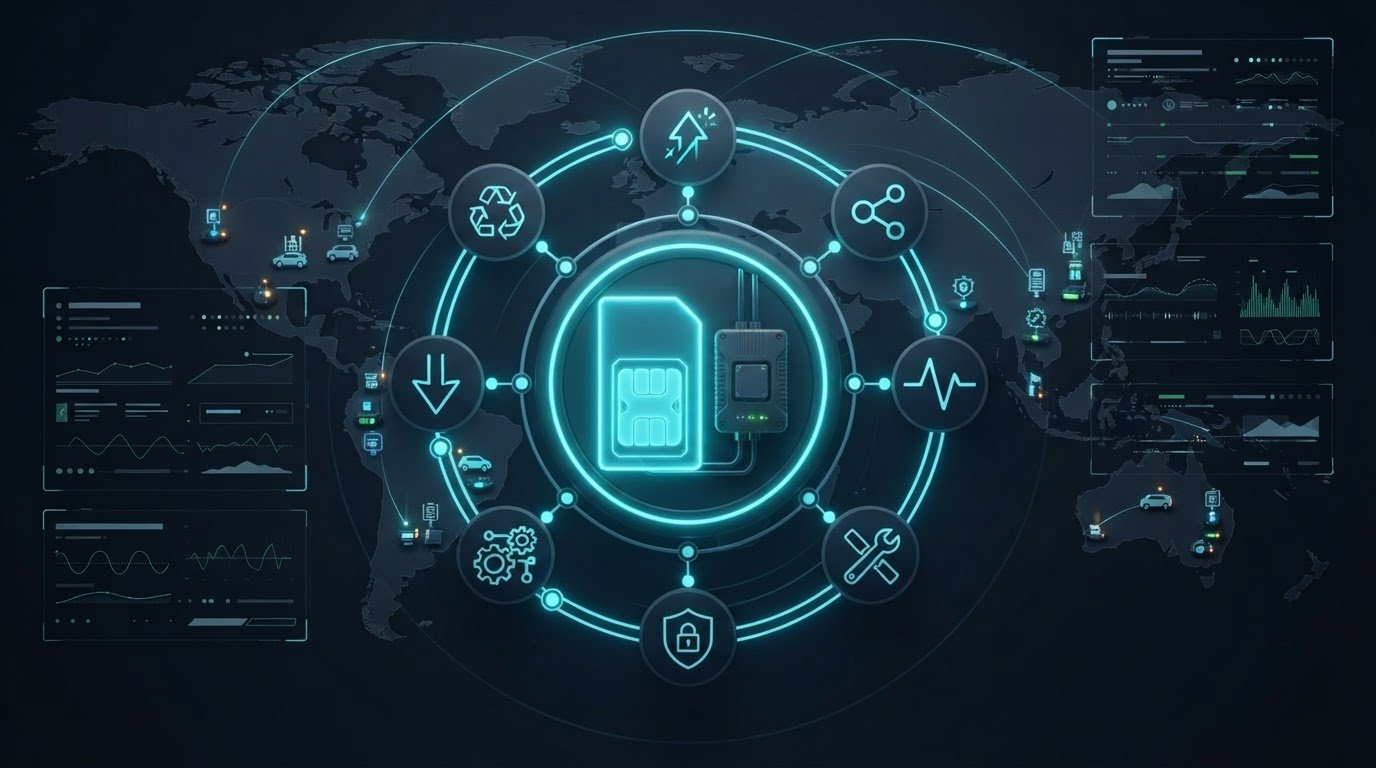
An IoT SIM isn’t a one-time connectivity purchase. It’s an operational asset that needs clear controls from deployment through retirement. As fleets grow, keeping SIM status, device assignments, usage, and support history aligned across systems becomes harder. Effective iot sim lifecycle management gives teams a consistent way to oversee each connection and reduce avoidable manual work.
You already know that inactive or misassigned SIMs can create extra work, while inconsistent troubleshooting and retirement processes can leave gaps in oversight. The answer is a lifecycle strategy with clear ownership, repeatable workflows, and visibility into every SIM’s status and activity. This article explains how to build one that scales.
We’ll cover the key stages, from activation and device assignment to monitoring, troubleshooting, security, and retirement. You’ll also learn where automation can streamline routine actions without removing operational control. A centralized view can make that work easier: Choice IoT’s CAMP™ platform brings devices, SIMs, and data usage into one dashboard, with capabilities such as Intelligent Alerts, diagnostics, SIM Lock & Security, and Automation & API. Clear rules. Better visibility. Lifecycle control built to support growth.
Key Takeaways
- Define ownership, SIM status, and transition rules across each operational stage to create consistent lifecycle control.
- Link activation to SIM assignment, device identity, and deployment readiness, then set usage thresholds for active monitoring.
- Build an iot sim lifecycle management framework around inventory, lifecycle states, ownership, controls, and outcome reviews.
- Align policies with deployment scale, device behavior, internal systems, and support responsibilities so workflows fit your operations.
- Explore how CAMP™ capabilities, including Real-Time Visibility, Intelligent Alerts, diagnostics, SIM Lock & Security, and Automation & API, can support centralized oversight.
What IoT SIM Lifecycle Management Covers, and Where Device Management Fits
IoT SIM lifecycle management is the control of a SIM’s operational stages, from acquisition and inventory through activation, service changes, and retirement. It defines who owns each transition, what status means, and what action moves a SIM to its next stage. This is more than a record of connectivity. It is an operating framework for keeping SIM assignments accurate and decisions consistent as deployments grow.
Like other forms of Lifecycle management, it relies on clear responsibilities and planned transitions. Without them, a SIM can remain active after a device is removed, or be suspended before support teams have confirmed the service change. Define the rules first. Then make the status and history visible to the people responsible for acting on them.
Which stages belong in an IoT SIM lifecycle?
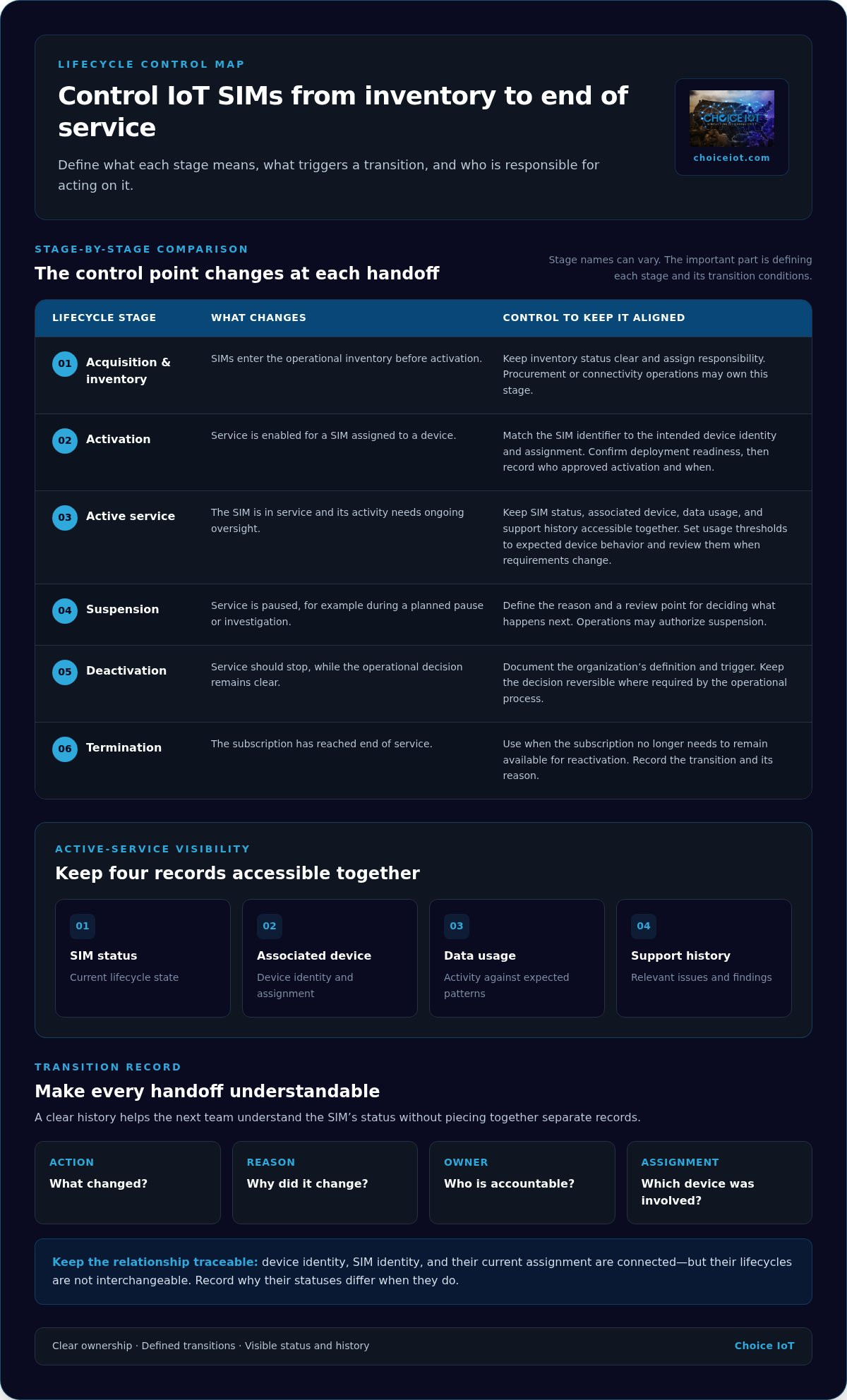
A practical lifecycle can include acquisition, inventory, activation, active service, suspension, deactivation, and termination. Stage names can vary. The important part is defining what each one means and what conditions trigger a transition. For example, activation might require a confirmed device assignment and deployment readiness, while suspension could follow a planned pause or a support decision.
Assign an accountable role to every transition. Procurement or connectivity operations may own inventory; deployment teams may request activation; support teams may investigate service issues; and operations may authorize suspension or retirement. Record the action and its reason so the next team can understand the SIM’s status without piecing together separate records.
How does SIM lifecycle management differ from device lifecycle management?
SIM and device lifecycles are connected, but they aren’t interchangeable. A device may be installed, repaired, redeployed, or retired while its SIM subscription has a different status. A replacement device might inherit an existing SIM assignment, for instance, while a removed device’s SIM is suspended pending reassignment. Treating both as one record can obscure what changed and who needs to act.
Keep device identity, SIM identity, and their current assignment traceable. That relationship helps support teams establish whether a fault follows the device, the SIM, or the assignment itself. Clear records also make handoffs between deployment and support more reliable. For broader connectivity context, see this multi-carrier IoT SIM guide.
How to Control IoT SIMs Through Activation, Active Use, and Retirement
Make activation a controlled handoff, not a switch flipped ahead of deployment. Before enabling service, match the SIM identifier to the intended device identity and assignment record. Confirm the device is ready for deployment, then record who approved activation and when. If the device is delayed, the SIM shouldn’t become active simply because it was provisioned early.
A SIM’s status should reflect the operational state of the device it serves, or clearly record why the two differ. That alignment helps teams spot mismatches quickly, such as an active subscription assigned to a device that has been removed from service.
What should teams monitor while an IoT SIM is active?
Keep four records accessible together: SIM status, associated device, data usage, and relevant support history. Set alert thresholds based on the device’s expected operating pattern. A sensor that sends brief, periodic updates needs a different baseline from equipment that regularly transfers larger volumes of data. Review thresholds as device behavior or deployment requirements change.
Use Device Change Alerts to investigate assignment changes, confirm whether they’re expected, and update records. An alert is a prompt to review the change, not a substitute for confirming the device and SIM relationship. CAMP™ Intelligent Alerts support custom data-usage thresholds and proactive notifications, helping teams identify activity that needs attention.
How should teams handle exceptions and end-of-service transitions?
Give support and operations teams a consistent path for unexpected usage, connectivity issues, and unrecognized device changes. Start by checking the SIM’s status, assignment, usage, and recent support history. For a connectivity issue, diagnostics and remote network reset can support investigation without an on-site visit. Record findings and the decision made.
- Suspend service when a temporary pause or investigation is needed, with a defined review point for deciding what happens next.
- Deactivate when service should stop but the record still needs a clear, reversible operational decision.
- Terminate when the subscription has reached its end of service and no longer needs to remain available for reactivation.
These labels can mean different things across operational systems, so document your organization’s definitions and triggers. Keep a transition history with the action, reason, owner, and relevant device assignment. CAMP™ Automation & API supports SIM activations and suspensions, helping teams apply repeatable workflows while maintaining oversight. For teams aligning connectivity and lifecycle controls, Choice IoT’s Multi-Carrier IoT SIM and CAMP™ platform bring SIM management and visibility together.
How to Build an IoT SIM Lifecycle Management Strategy
A workable iot sim lifecycle management strategy turns lifecycle rules into repeatable decisions. Start with the records and responsibilities teams already use, then scale the process to fit device behavior, deployment volume, support capacity, and internal systems. Build the framework in sequence:
- Inventory every SIM. Maintain a source of truth for SIM identity, status, assigned device, usage context, and lifecycle history. Decide how new SIMs enter that inventory and how assignment changes are recorded.
- Define lifecycle states. Document what each status means, what triggers a transition, and what the next permitted action is. Keep the definitions usable across connectivity operations, deployment, and support.
- Assign ownership. Name the team responsible for routine activations and status updates, the support owner for exceptions, and the role accountable for account-level oversight. Clear handoffs prevent unresolved tasks from sitting between teams.
- Set controls. Establish activation approval, device-to-SIM assignment rules, usage-alert thresholds, and review requirements for status changes. Automate only actions with clear triggers and owners.
- Review outcomes. Check whether records remain current, exceptions reach the right team, and similar requests receive consistent handling. Use findings to refine thresholds and procedures as the deployment evolves.
Which lifecycle policies should a deployment team define first?
Prioritize policies that shape daily work: who approves activation, how device identity is matched to a SIM, which usage patterns trigger alerts, and who can change status. Specify which actions can proceed automatically and which need human review, such as an unrecognized assignment change. Tailor each rule to device behavior and support responsibilities, not just the size of the fleet.
How can teams compare manual and automated lifecycle workflows?
Manual processes can suit small deployments with few status changes, but depend on disciplined updates and handoffs. A management platform can centralize visibility and support repeatable actions as task volume grows. API-driven workflows can connect lifecycle events to existing CRM or ERP processes. Compare options by repetitive task volume, record consistency, handoff effort, and how clearly teams can see exceptions. Automation supports policy; it doesn’t replace ownership or review.
Track progress through practical signals: whether SIM-to-device assignments are current, whether exceptions have an owner and documented outcome, and whether routine actions follow the same process. CAMP™ Automation & API supports SIM activations, suspensions, plan changes, and CRM or ERP integration. For broader platform context, the IoT connectivity management platform guide explores centralized connectivity operations. To put these lifecycle controls into practice, explore the CAMP™ IoT Platform.
How CAMP™ Supports Centralized IoT SIM Lifecycle Operations
Lifecycle policies work best when teams can apply them from a shared operational view. CAMP™ Real-Time Visibility provides a dashboard for devices, SIMs, and data usage, helping teams connect SIM status with deployment context instead of reconciling scattered records. It gives operators a centralized place to review activity and decide what needs attention.
| Operational task | CAMP™ capability | How it supports the workflow |
|---|---|---|
| Review fleet status | Real-Time Visibility | View devices, SIMs, and data usage in one dashboard. |
| Flag usage changes | Intelligent Alerts | Set custom data-usage thresholds and receive proactive notifications. |
| Investigate connectivity issues | Diagnostics & Troubleshooting | Support real-time issue investigation; teams can record findings in their support history. |
| Respond to network issues | Remote Network Reset | Reset connectivity remotely, without an on-site visit. |
| Protect assignments | SIM Lock & Security, Device Change Alerts | Help monitor SIM security and identify device assignment changes for review. |
| Standardize routine actions | Automation & API | Support repeatable SIM activations, suspensions, and plan changes. |
Which CAMP™ features support day-to-day SIM oversight?
Use Reporting & Analytics to review usage, cost, and performance reporting as part of regular operational checks. When an alert or support request needs investigation, Diagnostics & Troubleshooting can help teams assess the issue, while documenting the investigation in their support process preserves context for the next handoff. Remote Network Reset adds a remote response option when connectivity needs a reset.
Security controls matter just as much as visibility. SIM Lock & Security and Device Change Alerts help teams monitor authorized assignments and follow up on changes that need verification. An alert is a signal for review, not a replacement for assignment rules or accountable ownership.
How can teams connect lifecycle operations with existing workflows?
For recurring tasks, CAMP™ Automation & API supports SIM activations, suspensions, and plan changes. CRM or ERP integration can connect those connectivity actions with existing business workflows, reducing duplicate entry while keeping lifecycle events aligned with internal processes. Teams can retain review steps for exceptions and sensitive changes. For broader platform context, see the CAMP™ connectivity management guide.
For centralized oversight that supports iot sim lifecycle management, explore the CAMP™ IoT Platform and its connected visibility, security, diagnostics, and automation capabilities.
Make Your Next Lifecycle Decision a Repeatable One
Choose one recurring SIM task, such as an activation approval or a suspension review, and make its owner, trigger, and recordkeeping clear. Then use that workflow as a practical starting point for improving iot sim lifecycle management. Small, well-defined operational changes can create a stronger foundation for broader deployment needs.
CAMP™ can support that next step by bringing device, SIM, and data-usage visibility into one dashboard. Its Automation & API capabilities support SIM activations, suspensions, and plan changes, with CRM or ERP integration to connect connectivity tasks to existing workflows. The goal is not automation for its own sake. It’s a process your teams can oversee and apply consistently as requirements evolve.
Explore centralized IoT connectivity management with CAMP™ and take the next step toward lifecycle operations built to scale.
Frequently Asked Questions
Can IoT SIM lifecycle management work with both physical SIMs and eSIMs?
Yes, the same lifecycle principles can guide physical SIM and eSIM operations, though the available technical actions depend on the SIM, network, and management system. Apply consistent rules for inventory, device assignment, status updates, and retirement across form factors. For example, a team can use one approval policy for activating either type while documenting any form-specific provisioning steps separately. Don’t assume every system supports the same remote profile actions.
How often should a business review inactive IoT SIMs?
Set a review cadence that reflects device behavior, operational risk, usage patterns, and internal controls. A fleet with frequent redeployments may need status checks more often than stable equipment in remote locations. Use automated visibility and alerts to flag SIM records that need attention between scheduled reviews. For instance, an alert can prompt a team to confirm whether a quiet device is intentionally idle or has left service.
What happens if an IoT SIM is moved to a different device?
A move can affect assignment records, security controls, troubleshooting, and how teams interpret usage. First determine whether the change was authorized, then update the deployment record and apply the organization’s security policy. Choice IoT’s Device Change Alerts notify users when a SIM is moved to another device. Treat the alert as a prompt to investigate, not as confirmation that the move is approved or that a specific response is required.
Can an IoT SIM be suspended and later reactivated?
That depends on the carrier, service arrangement, and management workflow, so reactivation shouldn’t be assumed. Define suspension as a temporary status with a review or reactivation decision, and distinguish it from termination, which marks the end of service. Document who approves each change and where the reason is recorded. For example, a seasonal deployment might use a planned suspension process, while retired equipment follows a separate termination procedure.
Does IoT SIM lifecycle management require a connectivity management platform?
No, a platform isn’t mandatory for every deployment. A small fleet with few changes may be manageable through controlled manual records, while fragmented tools can make oversight harder as devices and handoffs grow. Centralized visibility, alerts, reporting, and automation can help teams coordinate recurring work and spot exceptions. Consider a platform when consistent oversight or integration with existing business workflows becomes important to your operating model.
What information should teams keep when retiring an IoT SIM?
Keep a clear record of the SIM’s final status, last device assignment, retirement action, decision owner, and relevant support history. Follow internal retention and security policies rather than applying a universal retention period. For example, recording whether a SIM was removed from a redeployed device or retired with it can help prevent confusion during future inventory checks. A complete transition history also gives support teams context if a related issue resurfaces.